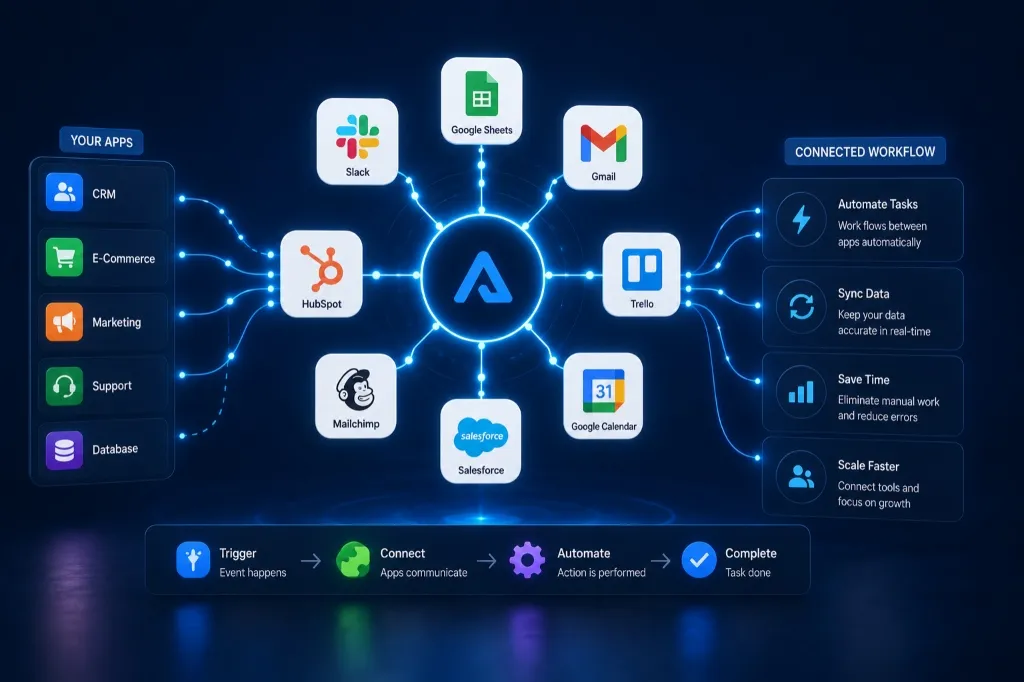
One of the biggest operational problems businesses face today is disconnected software systems.
Customer information lives in one app.
Sales data sits somewhere else.
Marketing tools don’t communicate with CRMs.
Teams manually copy information between platforms every day.
This creates:
- wasted time
- duplicate work
- data errors
- operational bottlenecks
- inconsistent customer experiences
This is why business app integration and workflow integration automation have become essential for modern businesses.
At AZ Konnect, many companies ask:
The answer is automation.
Modern no-code automation tools now allow businesses to connect apps, sync data, and automate workflows without requiring large development teams.
In this guide, we’ll explain:
- what app integration automation is
- how businesses connect apps together
- what tools are commonly used
- how AI workflow automation improves operations
- how businesses reduce manual data entry
What Is Business App Integration?
Business app integration refers to connecting different software platforms so they can share information and trigger workflows automatically.
Instead of employees manually updating multiple systems, integrated apps communicate automatically behind the scenes.
For example:
When a customer submits a form:
- update HubSpot
- notify Slack
- create a Google Sheets record
- trigger a Mailchimp email
- schedule a Calendly follow-up
All automatically.
Humans somehow created dozens of apps to improve efficiency and then spent years manually transferring information between them like exhausted digital couriers. Technology truly enjoys irony.
Why Businesses Need Workflow Integration Automation
Without integration systems, businesses often experience:
- repetitive manual work
- disconnected operations
- inconsistent data
- delayed communication
- missed follow-ups
- operational inefficiencies
Workflow integration automation helps businesses:
- reduce admin work
- improve organization
- sync data automatically
- improve team collaboration
- reduce human error
- scale operations more efficiently
This creates smoother business operations overall.
Can I Connect Apps Without Coding?
Yes.
Modern no-code automation platforms allow businesses to connect apps using visual workflow builders instead of traditional programming.
This means businesses can automate workflows between apps without building custom software manually.
Many businesses now automate:
- CRM updates
- lead management
- customer communication
- reporting systems
- appointment scheduling
- internal notifications
- sales workflows
without writing code.
What Tools Connect Business Apps Together?
Several automation platforms are commonly used for app integrations.
Zapier
Zapier is one of the most popular no-code automation platforms.
Businesses use Zapier to:
- connect apps together
- automate workflows
- sync data
- trigger notifications
- reduce repetitive tasks
Zapier supports thousands of integrations including:
- HubSpot
- Slack
- Google Sheets
- Shopify
- Mailchimp
- Calendly
It’s especially beginner-friendly for small businesses.
Make.com
Make.com offers more advanced workflow automation and visual integration mapping.
Businesses use Make.com for:
- multi-step automations
- advanced app logic
- AI integrations
- complex operational workflows
- scalable automation systems
It becomes extremely powerful for businesses handling larger operational workflows.
HubSpot
HubSpot combines:
- CRM management
- lead tracking
- automation workflows
- customer communication
- sales pipeline systems
Businesses frequently integrate HubSpot with:
- Slack
- Calendly
- Mailchimp
- Shopify
- Google Sheets
to automate customer management systems.
Salesforce
Salesforce is commonly used by larger organizations for:
- enterprise CRM systems
- customer lifecycle management
- automation workflows
- operational reporting
- sales automation
It often integrates with broader operational ecosystems.
What Business Apps Can Be Connected?
Modern businesses can connect almost every major operational platform.
Communication Tools
Apps like Slack automate:
- team notifications
- deal alerts
- workflow updates
- customer support alerts
CRM Systems
Platforms like HubSpot and Salesforce automate:
- lead tracking
- customer management
- pipeline updates
- sales workflows
Scheduling Systems
Calendly automates:
- appointment bookings
- confirmations
- reminders
- calendar syncing
Marketing Platforms
Mailchimp automates:
- email campaigns
- onboarding sequences
- customer nurturing
- retention workflows
Operational Tools
Businesses connect:
- Airtable
- Notion
- Google Sheets
to automate:
- project tracking
- internal operations
- reporting
- databases
- workflow organization
E-Commerce Platforms
Shopify integrations automate:
- order notifications
- customer tracking
- inventory updates
- abandoned cart systems
- customer retention workflows
What Is Workflow Integration Automation?
Workflow integration automation means connecting apps together so actions in one platform automatically trigger actions in another.
For example:
When:
- a lead fills out a form
- a customer books a meeting
- an order is placed
- a payment is completed
The system can automatically:
- update CRMs
- notify teams
- trigger emails
- create records
- launch follow-up workflows
This reduces manual coordination across departments.
How Does AI Workflow Automation Improve Integrations?
AI workflow automation adds intelligence to automation systems.
Using tools powered by OpenAI and AI integrations, businesses can automate:
- customer communication
- lead qualification
- AI-generated responses
- support routing
- data analysis
- workflow recommendations
AI systems help businesses move beyond simple automation into smarter operational workflows.
Which means software is now evolving from “moving information around” into “helping humans make decisions faster.” Mildly unsettling. Also extremely useful.
What Problems Do App Integrations Solve?
Business integrations solve major operational problems including:
- duplicate data entry
- disconnected systems
- inconsistent communication
- delayed workflows
- manual reporting
- repetitive admin tasks
Businesses that integrate apps properly often:
- save time
- improve organization
- reduce operational errors
- increase efficiency
- improve customer experiences
Signs Your Business Needs App Integration Automation
Your business likely needs workflow integrations if:
- employees manually update multiple apps
- customer data is inconsistent
- reporting takes too long
- systems feel disconnected
- communication delays happen frequently
- repetitive admin work slows operations
- scaling workflows feels difficult
These are strong indicators that automation infrastructure is needed.
What Is the Best App Integration Tool for Small Businesses?
For most small businesses:
Start with:
- Zapier for simplicity
- HubSpot for CRM automation
- Slack for communication workflows
- Calendly for scheduling
- Mailchimp for marketing automation
As workflows grow:
- Make.com can support more advanced automation systems
- OpenAI integrations can add AI workflow capabilities
The best approach is usually starting simple and scaling gradually.
Final Thoughts
Business app integration is no longer optional for companies trying to scale efficiently.
Disconnected software systems create operational friction, wasted time, and unnecessary manual work.
Modern automation tools now allow businesses to connect apps, automate workflows, and synchronize operations without relying on complex development processes.
Platforms like Zapier, Make.com, HubSpot, Salesforce, Slack, Airtable, Google Sheets, Notion, Shopify, Mailchimp, Calendly, and OpenAI have made workflow integration automation far more accessible than ever before.
Businesses that integrate systems effectively often:
- operate faster
- improve organization
- reduce admin work
- improve scalability
- strengthen customer experiences
At AZ Konnect, we help businesses build scalable workflow integration systems that connect operations, automate repetitive tasks, and improve overall business efficiency.