For many business owners, automation sounds expensive, technical, and enterprise-level.
They imagine:
- massive software projects
- expensive developers
- complex infrastructure
- large upfront investments
But modern business process automation is far more flexible and accessible than most companies realize.
Today, businesses can automate workflows using:
- no-code automation tools
- AI workflow systems
- CRM automation platforms
- cloud-based integrations
- scalable operational systems
At AZ Konnect, many businesses initially assume automation is financially out of reach until they realize how much operational time and revenue inefficiency manual systems are already costing them.
In this guide, we’ll explain:
- what affects automation pricing
- how much workflow automation typically costs
- what businesses are actually paying for
- whether small businesses can afford automation
- how automation creates long-term ROI
What Is Business Process Automation?
Business Process Automation (BPA) refers to using software, AI systems, and workflow automation tools to automate repetitive operational tasks.
Examples include:
- CRM automation
- customer follow-ups
- appointment scheduling
- lead routing
- internal reporting
- onboarding systems
- sales workflows
- customer support automation
The goal is to reduce repetitive manual work while improving operational efficiency and scalability.
Humans eventually realized paying employees to manually move information between apps forever might not be the peak form of economic evolution. Progress arrives slowly, but occasionally it arrives.
Is Business Automation Expensive?
Not necessarily.
The cost of automation depends heavily on:
- business size
- workflow complexity
- number of systems being connected
- level of customization
- AI functionality requirements
- operational scale
Some businesses start automation with simple workflows costing very little monthly.
Others build advanced AI-powered operational ecosystems with significantly larger infrastructure requirements.
Automation pricing exists on a spectrum rather than a single fixed cost.
What Affects Automation Pricing?
Several major factors influence the cost of workflow automation.
1. Complexity of Workflows
Simple automations cost far less than advanced operational systems.
For example:
Basic automation:
- form submissions
- email notifications
- appointment reminders
Advanced automation:
- AI workflows
- multi-system integrations
- CRM ecosystems
- custom operational logic
- enterprise reporting systems
The more complex the workflow, the more setup and optimization is required.
2. Number of Apps Being Connected
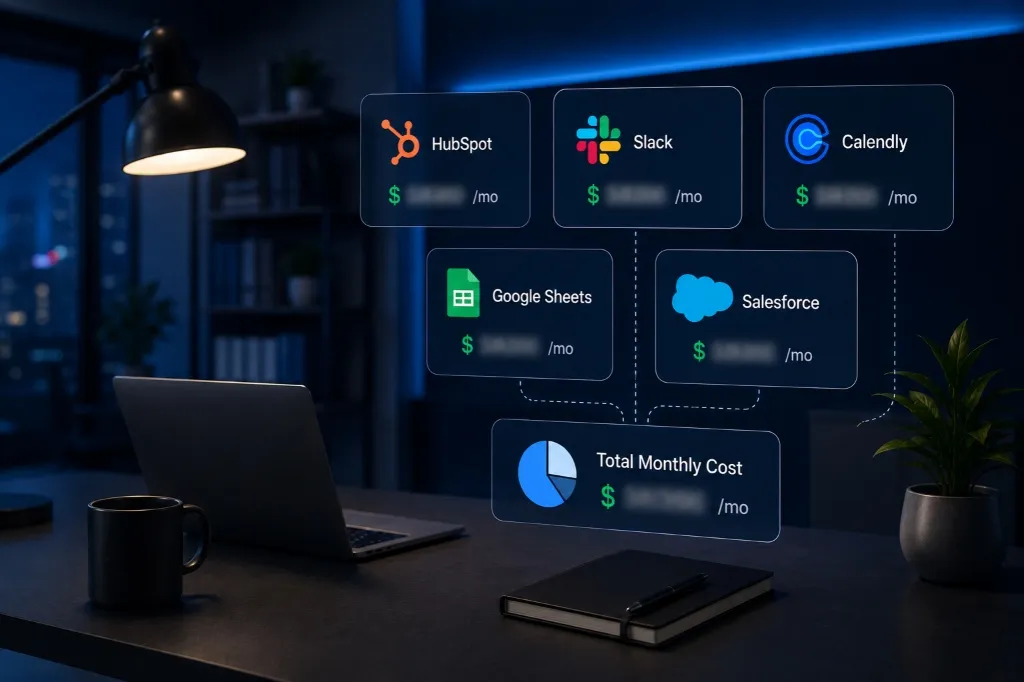
Businesses often connect:
- HubSpot
- Slack
- Calendly
- Mailchimp
- Google Sheets
- Airtable
- Salesforce
The more platforms involved, the more integration work is required.
However, modern tools like Zapier and Make.com have dramatically simplified app integration automation.
3. AI Automation Features
AI workflow automation introduces additional capabilities such as:
- AI chat systems
- automated responses
- lead qualification
- customer support AI
- workflow intelligence
- AI-generated summaries
Platforms powered by OpenAI often increase system capabilities while also affecting operational costs depending on usage volume.
4. CRM & Sales Automation
CRM systems such as:
- HubSpot
- Salesforce
often involve:
- pipeline automation
- customer workflows
- lead scoring
- reporting systems
- sales automation
More advanced CRM ecosystems generally increase setup complexity and pricing.
5. Level of Customization
Some businesses use mostly standard workflows.
Others require:
- custom operational logic
- unique integrations
- department-specific automations
- advanced reporting systems
Custom systems naturally require more implementation work.
Can Small Businesses Afford Automation?
Yes.
This is one of the biggest misconceptions about automation.
Modern no-code automation tools allow small businesses to automate operations without requiring enterprise-level budgets.
Many small businesses begin with:
- simple CRM workflows
- automated follow-ups
- scheduling systems
- lead notifications
- reporting automations
Even small automation systems can create significant time savings and operational improvements.
What Automation Tools Do Businesses Use?
Several platforms are commonly used for workflow automation.
Zapier
Zapier connects apps together using no-code automation workflows.
Businesses use Zapier to:
- sync data
- automate notifications
- trigger workflows
- connect operational systems
It’s often one of the most affordable starting points for automation.
Make.com
Make.com supports more advanced automation systems and visual workflow mapping.
Businesses use it for:
- multi-step workflows
- operational scaling
- AI integrations
- advanced automation logic
HubSpot
HubSpot combines:
- CRM management
- sales automation
- marketing workflows
- customer communication
- reporting systems
Pricing varies depending on business size and operational complexity.
Salesforce
Salesforce is commonly used by larger organizations for:
- enterprise CRM systems
- operational management
- advanced reporting
- scalable automation infrastructure
OpenAI
OpenAI-powered systems support:
- AI chatbots
- customer support automation
- AI assistants
- workflow intelligence
- automated communication
AI workflow automation is rapidly becoming a major operational advantage for businesses.
What Is the ROI of Business Automation?
Businesses often focus only on the cost of automation while ignoring the cost of manual inefficiency.
Automation helps businesses:
- save operational time
- reduce repetitive work
- improve customer response speed
- increase productivity
- reduce human error
- improve scalability
- increase lead conversion consistency
The ROI often comes from:
- time savings
- operational efficiency
- improved customer retention
- increased sales performance
- reduced staffing pressure
Businesses frequently recover automation investment through operational improvements alone.
How Much Time Does Automation Save?
Many businesses save:
- 10 to 20 hours weekly
- dozens of repetitive operational tasks daily
- hundreds of manual processes monthly
Automation reduces operational friction significantly.
The businesses seeing the highest ROI are often the ones automating:
- lead management
- CRM workflows
- scheduling
- customer communication
- reporting systems
- internal operations
Should Businesses Start Small?
Absolutely.
Most businesses should start with:
- repetitive bottlenecks
- time-consuming workflows
- operational inefficiencies
Starting with smaller systems allows businesses to:
- test automation gradually
- improve operational understanding
- scale systems more effectively
- reduce implementation risk
This creates a much smoother automation transition.
Signs Your Business Is Ready for Automation
Your business likely needs automation if:
- employees repeat the same tasks daily
- operations feel disorganized
- CRM updates are manual
- reporting consumes too much time
- customer follow-ups are inconsistent
- scaling operations feels difficult
- teams are overwhelmed with admin work
These are usually indicators that operational systems need optimization.
Why Businesses Delay Automation Too Long
Many businesses delay automation because they assume:
- it’s too expensive
- it’s too technical
- they’re “not ready yet”
Meanwhile:
- operational inefficiencies grow
- teams lose productivity
- customer experiences suffer
- scalability becomes harder
Ironically, businesses often spend far more money tolerating inefficiency than they would fixing it. Humanity’s relationship with operational pain remains deeply irrational.
Final Thoughts
Business process automation is no longer limited to enterprise companies with massive technical budgets.
Modern workflow automation tools and AI systems now allow businesses of all sizes to automate operations more affordably and efficiently than ever before.
Platforms like Zapier, Make.com, HubSpot, Salesforce, OpenAI, Slack, Airtable, Google Sheets, Calendly, and Mailchimp have made automation infrastructure highly accessible.
Businesses that automate effectively often:
- improve efficiency
- save time
- reduce operational friction
- improve customer experience
- scale faster
- increase profitability
At AZ Konnect, we help businesses build scalable automation systems that improve operations, reduce manual workload, and create smarter long-term growth infrastructure.